KubaOS.
The local-first founder OS.
A private desktop cockpit for a solo founder — interviews, pains, features, build logs, metrics, launch tasks, content calendar, and focus mode, all in one place. Your data lives on your machine.
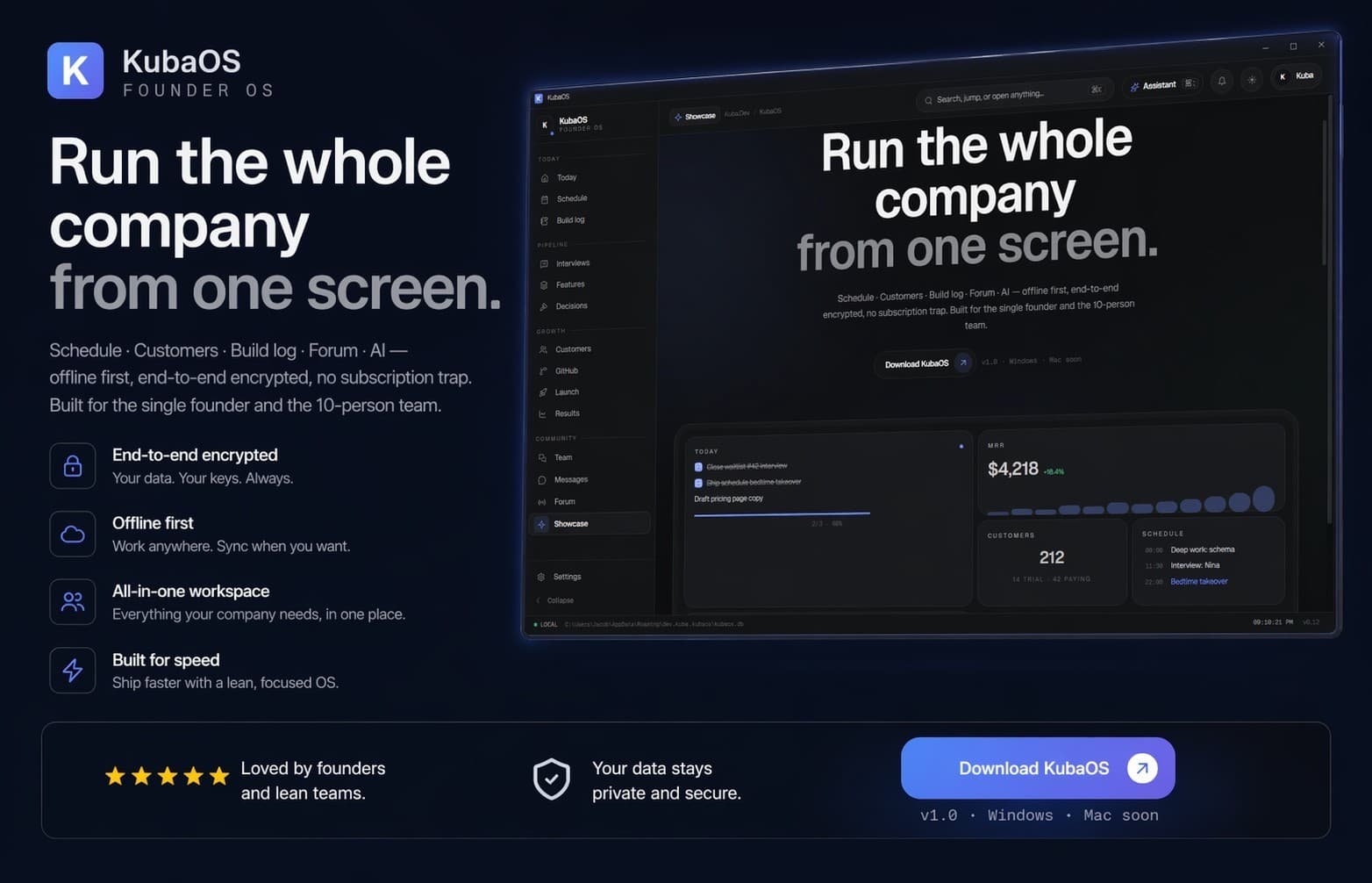
One cockpit for the whole founder loop — local, private, yours.
KubaOS replaces five tabs, three spreadsheets, and a notion doc with one desktop app. Built for a solo founder who wants the operating picture in one place without shipping it to a third party.
Interviews → Pains → Features
Capture customer conversations, extract pain points, and link them to the features that solve them. The whole insight trail lives in one graph.
Build log & launch tasks
A structured timeline of what shipped and why, next to the tasks that move your launch forward. No more guessing what week 14 looked like.
Metrics & content calendar
Track the numbers that matter alongside the posts, videos, and shipping moments you're planning. Story and system in one view.
Focus mode & forum
A zero-distraction today view, plus a private async thread stream for side conversations with the handful of people you actually talk to.
Closed source. Hardened on purpose.
KubaOS is a personal tool shipped as a signed binary. It's designed so that if it's the only app on your machine, your data still never leaves unless you choose to sync it.
- Signed MSI installer, silent updates
- Strict CSP — no remote scripts, no remote styles
- Context menu, devtools hotkeys, save-page disabled
- Secrets stored in the Windows Credential Manager
- Session tokens never persisted to disk
- Local SQLite, optional per-user cloud sync
Get KubaOS. Two clicks, silent updates.
Download the MSI, run it, launch KubaOS from the Start menu. The onboarding tour runs automatically on first launch. New versions install silently in the background.
Download the signed MSI.
Hosted here and mirrored on GitHub Releases. Either link gives you the same signed binary.
- Download KubaOS_0.1.3_x64_en-US.msi.
- Run the installer — it takes about fifteen seconds.
- Launch KubaOS from the Start menu. Onboarding runs on first launch.
- Future versions install silently. You won't have to come back here.